
gameplay instructions
Overview
aka 'menu'
found through 'play game'
Welcome to FrizWii!
To start off, the controller should be held (preferably in a FrizGrip) with the power button on the left side and the 2 button on the right. Once it’s held the correct way, follow the on-screen instructions for navigating through the menu, tournaments, team stats, achievements, and versus (if two or more remotes have been used since the game was opened).
The tournaments and teams are modelled after USAU’s College Ultimate. The player controls UC Berkeley’s Ursa Major and attempts to conquer Sectionals, Regionals, and Nationals.
In the game itself, the player sets the release angle (make sure that the PC v. WiiMote setting is correct by pressing ‘-‘), then presses A to confirm. If playing with a mouse, the more clicks after the inital click result in more power. If playing with a WiiMote, just tap A and swing!
Your friends can join in two ways: they can help with tournament play by controlling downfield players with the D-Pad and throwing when they catch it, or everyone can play head-to-head in Versus! Make sure the other remotes are connected and have pressed buttons since launching the game.
Good luck and have fun!
Release angle
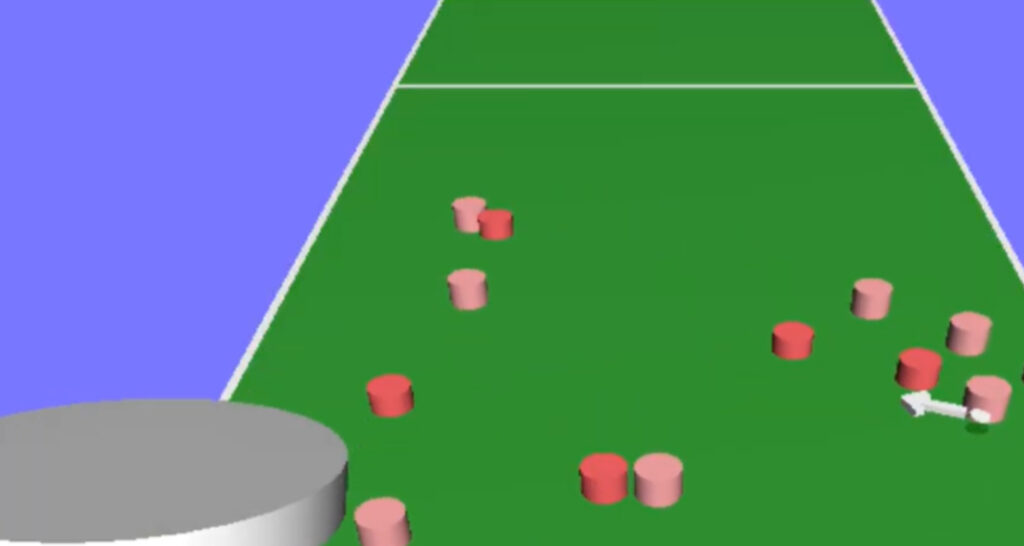
The key to mastering FrizWii is understanding release angle. Before throwing the disc, move your mouse or remote to change the angle. With the FrizGrip, make sure to always hold the curve towards your body and have the remote on one side or the other, with the side facing forward tilted up. This is how the game knows whether you’re throwing a forehand or backhand.
Other In-game controls
Throwing
'A' button
Once the disc is at the desired angle of release, press 'A' to begin the throwing process. You then have about half a second to swing with the power that you want.
direction
left/right arrows
Use the arrows (which should be on your left) to turn the disc around the player who's throwing it. Note: The way you hold the WiiMote determines backhand or forehand, or press 'W' to switch if playing on PC.
multiplayer switching
'1' and '2' buttons
When playing with friends, you can switch which players you control using these buttons. '1' moves to the nearest player on the left, '2' moves to the right. You can't switch if you're throwing the disc.
Join the newsletter.
get the updates.
deals, steals, and reveals
Join our email newsletter to hear about the newest updates, additions, and sales. Become part of the community of FrizWii.
may 1, 2026
The original frizwii
The first of its kind video game designed to encourage fun, community, and learning.
Legal Disclaimer:
The FrizWii software available on this website is 100% original content created and owned by William Wallace. No official Nintendo SDK code, proprietary assets, or copyrighted materials belonging to Nintendo Co., Ltd. were used in the development of these titles.
Resale Items: This site also offers a limited selection of original, pre-owned retail software, specifically LEGO Batman Wii. This is a physical, authentic copy being resold under the First Sale Doctrine. FrizWii/William Wallace is not affiliated with, authorized, or endorsed by Nintendo, LEGO, or Warner Bros. Interactive Entertainment. All trademarks and copyrights belong to their respective owners. The free downloads for Homebrew Installation are also included in some product packages. They are not part of the cost but included for free to make things easier for the consumer. Those downloads are also not owned or created by FrizWii or William Wallace, but are open source downloads that can be found for free online.